Beginner’s guide to using Rank Math Pro for SEO (step by step)
📌 Key Points of How to use Rank Math Pro for SEO Optimization
What it is: Using Rank Math Pro for SEO means optimizing posts, schema, redirects, and rank tracking — all from your WordPress dashboard, no code.
Honest take: The free version is excellent and enough for many beginners. Pro (~$8.99/mo billed annually) adds scale, rank tracking, and advanced schema.
Key tip: Chase a green score by fixing structure (title, subheading, links, alt text) — not by stuffing your keyword a set number of times.
Why we use Rank Math Pro for SEO optimization ?
If you’ve ever wondered how some bloggers get clean green SEO scores, rank on page one, and optimize posts without hiring anyone, a big part of the answer is a good SEO plugin used well. I use Rank Math on my own sites, and in this guide I’ll show you how to use Rank Math Pro for SEO as a complete beginner — no code, no jargon, just the settings that actually matter.
Rank Math isn’t a magic green-light button, and I’ll be honest about that throughout. It’s a tool that helps you write, structure, and analyze content so search engines understand it — but the ranking still comes from genuinely useful writing. Used properly, it takes a lot of the guesswork out of on-page SEO. Let’s walk through it.
Table of Contents
What is Rank Math Pro?
Rank Math is a WordPress SEO plugin, and Rank Math Pro is its premium tier. From inside your dashboard it helps you optimize posts for keywords, generate schema markup, track Google Search Console data, manage redirects, add image alt tags, and monitor keyword performance — a lot of what used to need several separate plugins, in one place.
The free version is genuinely excellent (better than many paid plugins), and for a lot of beginners it’s all they’ll ever need. Pro adds scale and tracking on top. So before we go further, know this: you don’t have to buy Pro to do great on-page SEO. This guide covers Pro’s features, but flags what the free version already handles.
What Rank Math Pro adds over the free version
Here’s what the Pro tier gives you beyond free:
- Unlimited focus keywords per post (the free version now allows up to 5, which is plenty for most posts).
- Keyword rank tracking (up to 500 keywords) right inside WordPress.
- Advanced schema types (20+, including Video, Recipe, Course, and more).
- Deeper Google Analytics 4 integration.
- Content AI writing assistance (a trial, then paid credits).
- Local SEO and WooCommerce SEO modules.
One honest note before you buy: Rank Math Pro is an annual subscription (there’s no lifetime deal), and it auto-renews yearly. Some users have been caught out by the renewal charge, so if you try it, set a calendar reminder before the renewal date and decide deliberately whether to keep it.
How much does Rank Math Pro cost?
At the time of writing, Rank Math Pro is around $8.99/month billed annually — roughly $84–$96 for the year depending on current promotions — and it covers unlimited personal (non-client) websites. There are higher Business and Agency tiers for people managing client sites. Prices shift with sales, so check the official pricing page for the current figure before you buy. All plans come with a 30-day money-back guarantee.
Now, here’s how to use Rank Math Pro for SEO, step by step.
How we use Rank Math Pro for SEO optimization ?
Step 1: Install and activate Rank Math
If you’re on the free version, just install it from Plugins → Add New. For Pro, buy the plan on the Rank Math site, download the Pro ZIP, then go to Plugins → Add New → Upload, upload it, activate, and connect your Rank Math account. Either way, you’re ready in a couple of minutes.
Step 2: Run the setup wizard
When you activate Rank Math, a setup wizard walks you through the basics:
- Connect your Google account (Search Console and Analytics).
- Set your website type — Blog, Portfolio, or Business.
- Upload your logo and a default social share image.
- Enable the schema types you’ll use (Articles, Recipes, and so on).
- Turn on the modules you want: Redirections, Image SEO, 404 Monitor, Analytics.
- Save and finish.
The wizard is genuinely beginner-friendly — it explains each choice as you go, so you’re not guessing.
Step 3: Add a focus keyword and optimize your post
Open any post and scroll to the Rank Math box. In the Focus Keyword field, enter the phrase you’re targeting — for example, “high protein vegetarian meals.” Rank Math scores you out of 100 and gives a checklist of suggestions:
- Add the keyword to your SEO title.
- Use it naturally in the first 100 words.
- Include it in at least one subheading.
- Add internal and external links.
- Use it in an image alt tag.
A note that matters, because a lot of old guides get this wrong: use your keyword naturally, where it fits. Ignore any advice — including older Rank Math tips — telling you to cram the keyword in a fixed number of times like 15–17. Stuffing your keyword reads badly to humans and doesn’t earn rankings; Google rewards relevance and natural language. Aim for a green score by satisfying the structural checks (title, subheading, links, alt text), not by repeating the phrase until it sounds robotic.



Step 4: Write your meta title, description, and slug
Still in the Rank Math box, set these three:
- SEO title — include your keyword near the front; a number or a clear benefit helps clicks.
- Slug — short and keyword-based, no dates or filler.
- Meta description — under about 160 characters, keyword early, and written to earn the click rather than just summarize.
These are the elements searchers actually see in Google, so they’re worth a moment’s thought.
Step 5: Add FAQ schema (and an honest note on method)
Rank Math includes an “FAQ by Rank Math” block: add it in the editor, fill in real questions people search, and it outputs FAQ schema that can help you appear in rich results.
Honest note from experience: the built-in block is convenient, but if you want reliable, error-free FAQ schema — especially on pages built with a page builder — many people now add the FAQ as a styled HTML block plus a separate manual JSON-LD script instead. It’s slightly more work but gives you full control and avoids duplicate-schema issues. Either way, use only one FAQ schema source per page so you don’t confuse Google.
Step 6: Turn on Image SEO
Rank Math Pro can handle image alt text at scale. Go to Rank Math → General Settings → Images and enable adding missing alt and title attributes, and auto-adding filenames as alt text. This saves you manually editing hundreds of old images — though for your most important images, a hand-written, descriptive alt tag is still better than an auto-generated one.
Step 7: Redirects, 404 monitor, and rank tracker
Three Pro tools worth knowing:
The Redirection Manager lets you redirect deleted or moved posts to relevant pages, so you don’t lose visitors or link value to broken URLs. The 404 Monitor shows you the broken URLs people and bots are hitting, so you can fix or redirect them. And the Rank Tracker monitors your focus-keyword positions and pulls clicks, impressions, and rankings into one dashboard (it needs Search Console connected).
Together these turn Rank Math from an on-page checker into a light technical-SEO toolkit.
Extra features worth knowing
Beyond the basics, Pro also offers multiple focus keywords for longer posts, exporting SEO reports, custom schema types, and Content AI recommendations. You won’t need all of these on day one — start with keyword optimization, schema, and the redirect/404 tools, and grow into the rest.
Common mistakes beginners make with Rank Math
Learning to use Rank Math Pro for SEO is easy; using it well means avoiding a few traps I see constantly:
- Treating the green score as the goal. It’s a guide to on-page structure, not a ranking guarantee. A post can be green and still not rank if the content isn’t genuinely useful, or rank well with a couple of orange items. Serve the reader first.
- Keyword stuffing to boost the score. As covered above, forcing your keyword in over and over makes writing worse and doesn’t help. Green comes from structure, not repetition.
- Enabling every module at once. Rank Math has a lot of features. Turning them all on adds clutter and can slow your admin. Enable what you’ll actually use — SEO analysis, redirects, 404 monitor, analytics — and leave the rest off until you need them.
- Ignoring the analytics side. Many people set up Rank Math for on-page scoring and never connect Search Console. The rank tracking and index-status data are half the value of using Rank Math Pro for SEO — connect Google so you can see what’s actually working.
- Buying Pro before you need it. The free version is excellent. Upgrade when you feel a real limit (multiple sites, rank tracking), not on day one.
Avoid those five and you’ll get far more out of the plugin than someone who just chases the dial.
Is Rank Math Pro worth it?
Honestly, it depends on where you are. The free version is enough for many beginners and small blogs — if you’re just getting titles, meta descriptions, sitemaps, and focus keywords right, free handles all of that.
Pro earns its cost once you’re publishing regularly, want to track keyword rankings inside WordPress, run affiliate or ad monetization, or manage multiple sites. The rank tracking alone can replace a separate paid tool, which is often where the value tips over. If you blog a few times a week and take SEO seriously, learning to use Rank Math Pro for SEO is a reasonable investment — just go in knowing the free version is excellent, and upgrade when you actually feel its limits.
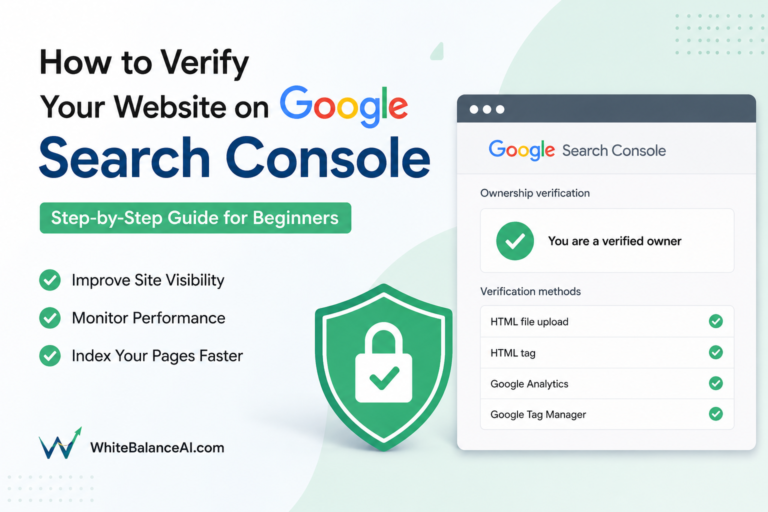
Yoast SEO fixes and when to ignore them→ add your website to Google Search Console→ speed up your WordPress website
Frequently asked questions
Do I need Rank Math Pro, or is the free version enough?
For most beginners, free is enough — it handles titles, meta, sitemaps, and up to 5 focus keywords per post. Pro is worth it once you want rank tracking, advanced schema, and multiple sites, especially for affiliate or ad monetization.
Does Rank Math work with Elementor and Gutenberg?
Yes, it works smoothly with both editors. One thing to know: on Elementor pages, some schema (like FAQ) may need to be added manually as JSON-LD rather than relying on the auto-generated block.
How many times should I use my focus keyword?
Use it naturally where it fits — in your title, first paragraph, a subheading, and a few times through the body. Ignore advice to hit a fixed count like 15–17; keyword stuffing reads badly and doesn’t help rankings. Satisfy the structural checks instead.
Does a green Rank Math score guarantee I’ll rank?
No. A green score means your on-page structure is solid, which helps — but rankings come from genuinely useful content, real authority, and a fast site. Treat the score as a helpful guide, not a promise of page one.
Is there a lifetime plan, or does it auto-renew?
There’s no lifetime deal — Rank Math Pro is an annual subscription that auto-renews. Set a reminder before your renewal date so the charge doesn’t surprise you, and cancel in advance if you decide not to continue.
⭐ Found this helpful? Add WhiteBalanceAI as your Google Preferred Source so my posts show higher in your results.
🌿 Want to see AEO in action?
Caloriematterss is my own food blog, optimized with Rank Math and built on AEO and GEO principles — a live case study of the SEO/AEO/GEO system I use.
Visit Caloriematterss →🚀 Starting your first website?
The platform you begin on shapes your speed, security, and how little you have to fight with later. The one I use and recommend is Hostinger — it includes free SSL on every plan, runs WordPress cleanly, and handles the hosting essentials so you don’t manage servers.
Start with Hostinger →Disclosure: this is an affiliate link. If you sign up through it, I may earn a small commission at no extra cost to you. I only recommend tools I actually use and trust.
Want your SEO set up properly?
I configure Rank Math, schema, and on-page SEO the right way — so your posts are structured to be found in Google and AI answer engines, without you chasing green dots.