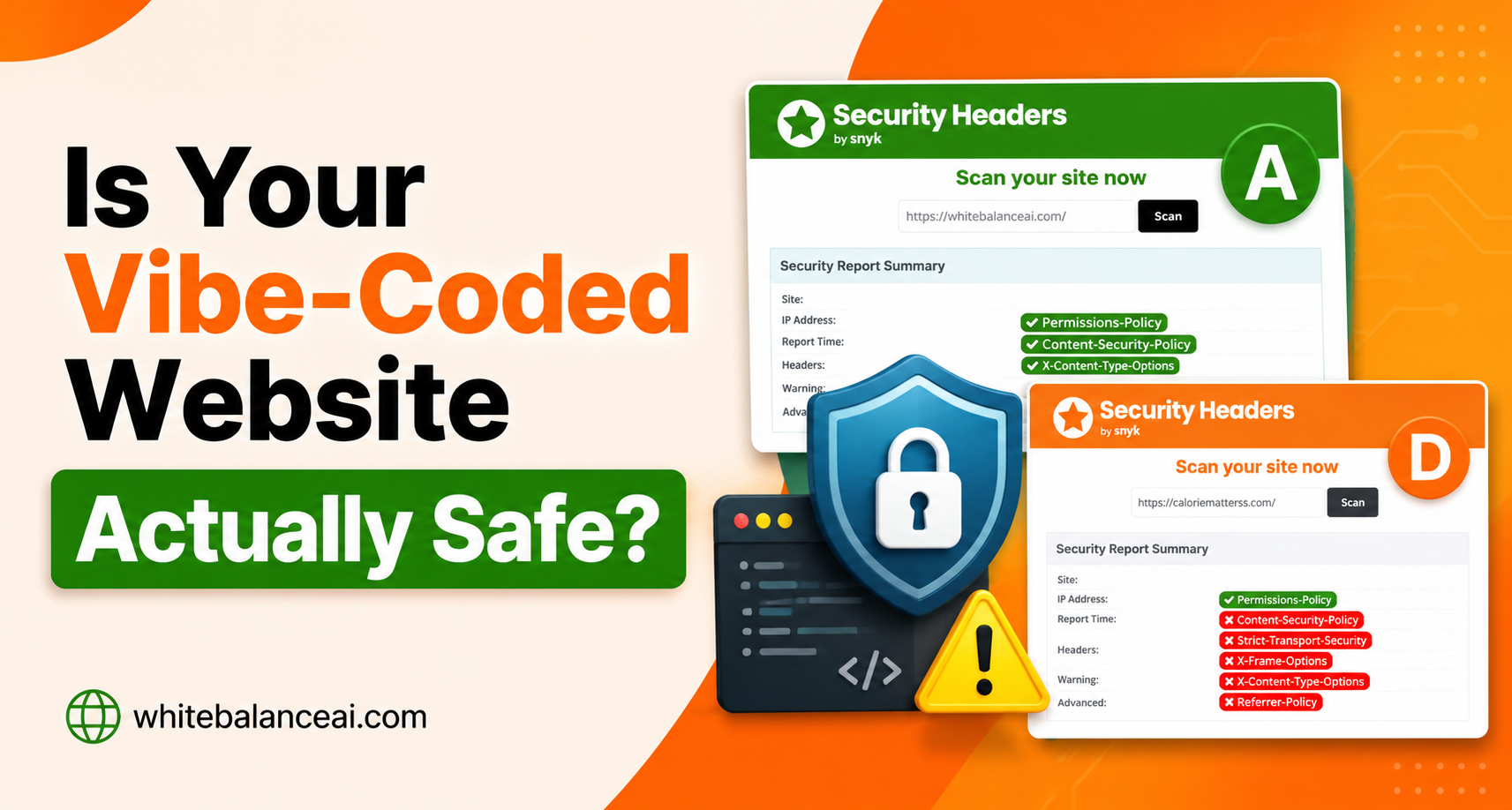
Is Your Vibe-Coded Website Safe? Here’s How to Check in 30 Seconds
📌 Key Takeaways of “is your vibe coded website safe ? “
The problem: AI tools build a site that works, not one that’s locked down. Most vibe-coded sites are missing four common security headers — the site runs perfectly, so nobody notices.
The check: Scan your site free at securityheaders.com. Takes 30 seconds, no account. A D grade means the headers were never switched on.
The fix: Four lines pasted into one file, above the existing code. Back up the file first. Both my sites went from D to A on the next scan.
Who it’s for: Anyone who built a site with an AI tool, a builder, or a template they didn’t configure — no developer needed.
Is your vibe-coded website safe ?
Not “does it work” — it clearly works, you’re using it. I mean, if someone ran a security scan on it right now, what grade would it get?
For most vibe-coded sites, the honest answer is a D. I know, because I scanned two of my own last week and both came back with a D. So before you assume yours is fine, it’s worth spending thirty seconds to actually find out — and that’s exactly what this post walks you through.
Here’s why I’m bothering to write it. The check is free and takes thirty seconds. The fix took me about ten minutes per site — no developer, no re-prompting the AI, no plugin. And once you’ve seen how the gap works, you can’t un-see how many AI-built sites are shipping with the same hole. If you built your site by describing it to an AI, this is worth thirty seconds before it’s worth someone else’s.
Table of Contents
Why you can’t assume a vibe-coded website is safe
When an AI builds your website, it optimises for one thing: does the page load and look right. That’s what you asked for, and that’s what it delivers. What it does not do, unless you specifically know to ask, is harden the site — add the small security instructions that tell a visitor’s browser how to protect them.
Those instructions are called security headers. A site can run perfectly for months while missing them completely. You won’t notice a thing. But a scanner will, and so will anyone who inspects your site with bad intentions. That’s the whole reason you can’t just assume a vibe-coded website is safe — the part that makes it safe is invisible when it’s missing.
This isn’t a knock on vibe coding. The tools got good enough to let anyone ship a working site, which is genuinely brilliant. But “working” and “secured” are two different finish lines. A traditional developer picks up security headers as a habit over years of building sites. Someone who built their first site by prompting an AI never had that habit to pick up — and the AI won’t volunteer it. So the site crosses the “it works” line and stops one step short of “it’s safe.”
How do I check if my vibe-coded website is safe?
Go to securityheaders.com, type your website address into the box, and press Scan. That’s the whole check. It’s free, no account, about thirty seconds.
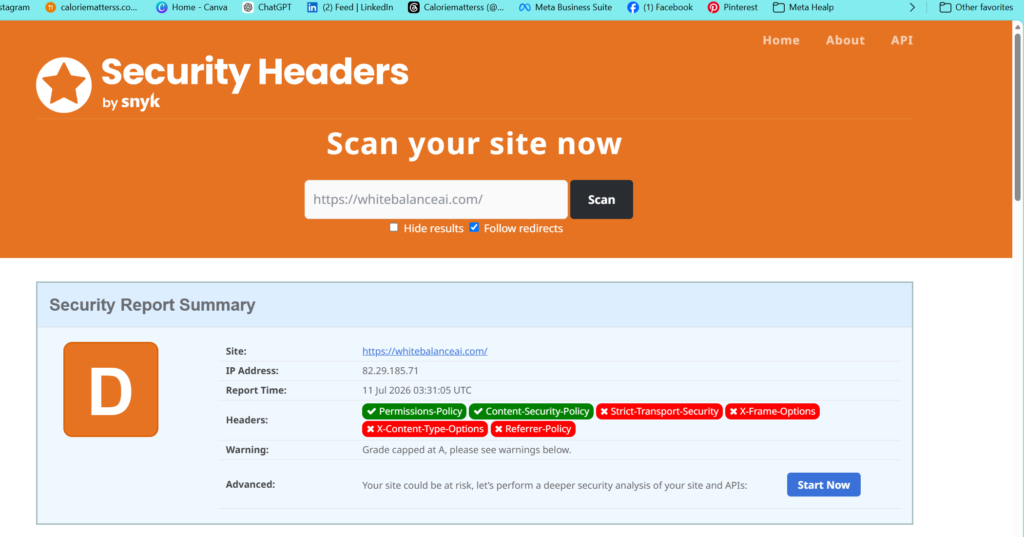
You’ll get a letter grade from A to F and a list of headers marked green (present) or red (missing). A D means a couple of headers are passing and several are missing — the standard result for any site nobody specifically hardened, which includes most vibe-coded ones.
When I scanned my two sites, both showed the same picture: two headers green, four red. Those four missing headers are almost certainly the same ones missing on your site:
- Strict-Transport-Security — forces browsers to always use the secure HTTPS version of your site.
- X-Frame-Options — stops other websites loading your pages inside a hidden frame (a trick called clickjacking).
- X-Content-Type-Options — stops browsers guessing file types, which closes off a class of attacks.
- Referrer-Policy — controls how much of your web address is shared when a visitor clicks a link leaving your site.
If your scan shows those four in red, the rest of this post closes the gap.
Is a D grade actually a real risk, or just embarrassing?
A bit of both, and I’ll be straight about it. Nothing is broken at a D. Your site works, visitors can use it, nothing is on fire. So it’s not a drop-everything emergency.
But it’s not just cosmetic either. Two real costs. First, trust — anyone technical who checks your site, a potential client or partner, sees a D and reads it as “this person doesn’t look after their site.” For a business, that quiet impression costs you work you’ll never know you lost. Second, the headers genuinely protect against clickjacking and content-type attacks. Not headline threats, but real ones, and closing them is nearly free.
The reason I fix it even though it’s not urgent: it’s one of the rare improvements that takes ten minutes and shows a result immediately. Most website work takes weeks to pay off. This one you see change on the very next scan.
What actually causes the missing headers?
Nothing is wrong with your site. The headers just aren’t being sent, because AI builders, templates, and most hosts don’t add them by default. You’re not repairing damage — you’re switching on something that was never turned on.
That’s the good news. To make a vibe-coded website safe on this front, you don’t need a security plugin, you don’t need to rebuild anything, and you don’t need to go back to the AI and re-prompt it. You’re adding a few instructions to one file your server already reads on every visit.
Where do the security headers go?
For most sites — anything on Apache or LiteSpeed hosting, which covers the majority of shared hosting — the rules go in a file called .htaccess, in your site’s main folder (usually public_html). Your server reads it on every page load.
One catch: the filename starts with a dot, which usually means it’s hidden. In most file managers you switch on “show hidden files” before it shows up.
If your site runs somewhere else — a Node host, a static-site platform, a custom server — the headers go in that platform’s config or a _headers file instead. The four headers themselves are identical; only the location changes. For the large share of vibe-coded sites on ordinary shared hosting, .htaccess is the right file. Both of mine run on LiteSpeed, and this worked on both.
What’s the exact fix?
Here are the four lines. This block is the same for every site — it isn’t site-specific, so you use identical code no matter what your site is about or what built it.
apache
<IfModule mod_headers.c>
    Header always set Strict-Transport-Security "max-age=31536000; includeSubDomains"
    Header always set X-Frame-Options "SAMEORIGIN"
    Header always set X-Content-Type-Options "nosniff"
    Header always set Referrer-Policy "strict-origin-when-cross-origin"
</IfModule>
Each line switches on one of the four missing headers. The wrapper line just says “only run this if the server supports it,” a safe way to add the rules without risking an error.
One deliberate choice: on the first line I did not add the preload option. Preload is a stricter version of the HTTPS rule that’s very hard to undo later, and you don’t need it to reach an A. Leave it off. An A is an A.
How do I add it, step by step?
This is the order I followed on each site. Do one site first, confirm it works, then repeat anywhere else.
- Log into your hosting control panel and open File Manager.
- Open the public_html folder for your site.
- If you can’t see the
.htaccessfile, switch on show hidden files in the file manager settings. - Download a copy of
.htaccessfirst. Right-click, download, save it. This is your undo button — if anything goes wrong, re-upload this file and you’re back to normal. Do not skip this. - Right-click
.htaccessand choose Edit. - Paste the four-line block at the very top of the file, above anything already there. If the file has a
# BEGIN WordPresssection, paste it above that and don’t touch the existing code. - Save.
- Clear your site cache if you have one. On LiteSpeed that’s LiteSpeed Cache, then Purge All.
- Open your site in a normal browser tab to confirm it loads fine.
- Re-scan on securityheaders.com.
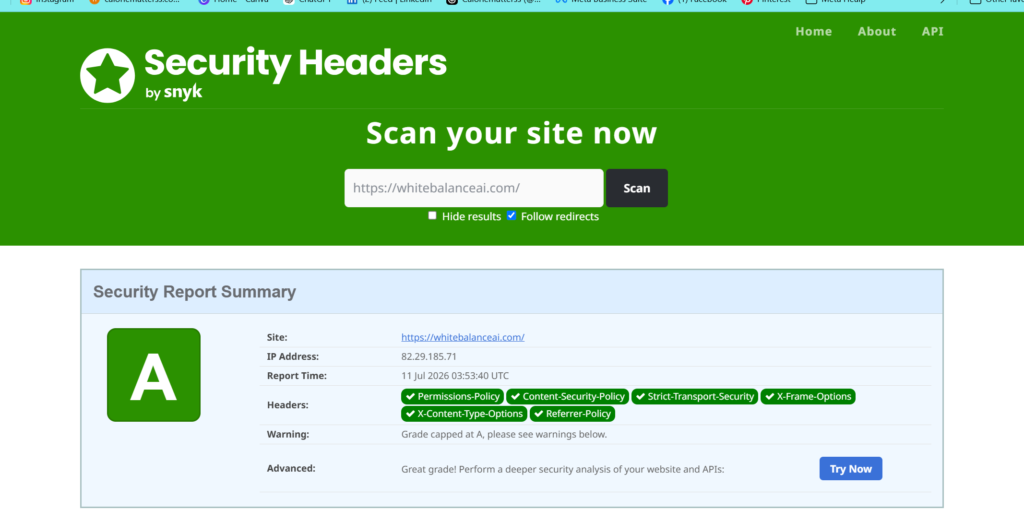
That’s the whole job. When I did this, both sites jumped from D to A on the re-scan. Same four lines, same result, both times.
What if my site breaks after editing the file?
This is the honest worry, and it’s why step 4 exists. A wrong edit to a server config file can show a blank page instead of your site. If that happens, you don’t troubleshoot — you re-upload the copy you downloaded, and your site comes straight back. No harm done.
In practice, if you paste the block exactly as written, above the existing code, deleting nothing, it works cleanly. I’ve done it on two live sites with no issue. But keep the backup anyway. On a live site, that one download is cheap insurance.
What about the other warnings the scan shows?
You might also see a note about something like x-powered-by revealing your server’s software version. It’s flagged as a minor information leak, not a grade-blocker. My sites reached an A with that note still showing, so I left it. Chase the A grade — don’t get pulled into chasing a spotless scorecard. The four headers are what move you from D to A; the rest is polish you can skip.
Does this need maintaining once it’s done?
No. Once the four lines are in, they keep working. Nothing to renew, no subscription, no plugin to update. You fit the locks once and they stay fitted.
The only time to revisit it is if you move host or rebuild the site from scratch — including if you re-generate it with an AI tool again, since a fresh build starts fresh. If you ever scan and see a D come back, you’ll know exactly what to do, because you’ve done it before.
So — is your vibe-coded website safe? Now you can answer that in thirty seconds instead of guessing. Vibe coding got you a working site fast, which is a genuinely great thing. This just adds the one piece it quietly left out
How to Do Off-Page SEO , What is AEO and What is GEO ? Read these and fix your website
Frequently Asked Questions
How do I check if my vibe-coded website is safe?
Run it through securityheaders.com — enter your website address and press Scan. It’s free, takes about thirty seconds, and gives you a grade from A to F with a list of which security headers are present or missing. A D or F usually means four common headers aren’t switched on.
Why isn’t my vibe-coded website safe by default?
Because AI tools build a site that works but don’t harden it by default. The person shipping the site usually didn’t write the server config, and the AI wasn’t asked to add security headers — so they’re simply missing, not broken. It’s a blind spot that comes with building by prompt rather than by hand.
Do I need to be a developer to make my vibe-coded website safe?
No. The fix is four lines pasted into one file, with a backup taken first so you can undo. You don’t need to code or re-prompt your AI tool. If you can edit a file in your hosting file manager, you can do it in about ten minutes.
Will adding security headers slow down or break my site?
No. Headers are tiny instructions sent with every page anyway, so there’s no speed cost. As long as you back up the file first and paste the block exactly as written above the existing code, there’s nothing to break — and re-uploading the backup undoes it instantly if anything looks off.
Is the fix the same for every vibe-coded website?
The four headers are identical for every site — the block isn’t site-specific. What changes is only where they go: .htaccess for most shared hosting, or a config or _headers file for other platforms. The values you paste stay the same.
⭐ Found this helpful? Add WhiteBalanceAI as your Google Preferred Source so my posts show higher in your results.
🌿 Want to see AEO in action?
Caloriematterss is a real-world niche food blog built with AEO (Answer Engine Optimization) and GEO (Generative Engine Optimization) principles from the ground up. Explore how structured recipes, FAQ schema, internal linking, and AI-friendly content work together in a live website.
Visit Caloriematterss →🚀 Starting your first website?
The platform you begin on shapes your speed, security, and how little you have to fight with later. The one I use and recommend is Hostinger — simple enough for a non-technical owner, runs WordPress cleanly, and handles the hosting essentials so you don’t manage servers.
Start with Hostinger →Disclosure: this is an affiliate link. If you sign up through it, I may earn a small commission at no extra cost to you. I only recommend tools I actually use and trust.
Want this handled for you?
Off-page SEO takes consistent, patient outreach-the kind that’s hard to fit around running a business. I build backlink profiles the safe way: relevant, gradual, tracked, and aimed at both Google and AI answer engines. If your site is technically fine but still not ranking, this is usually the missing piece.
One Comment
Comments are closed.