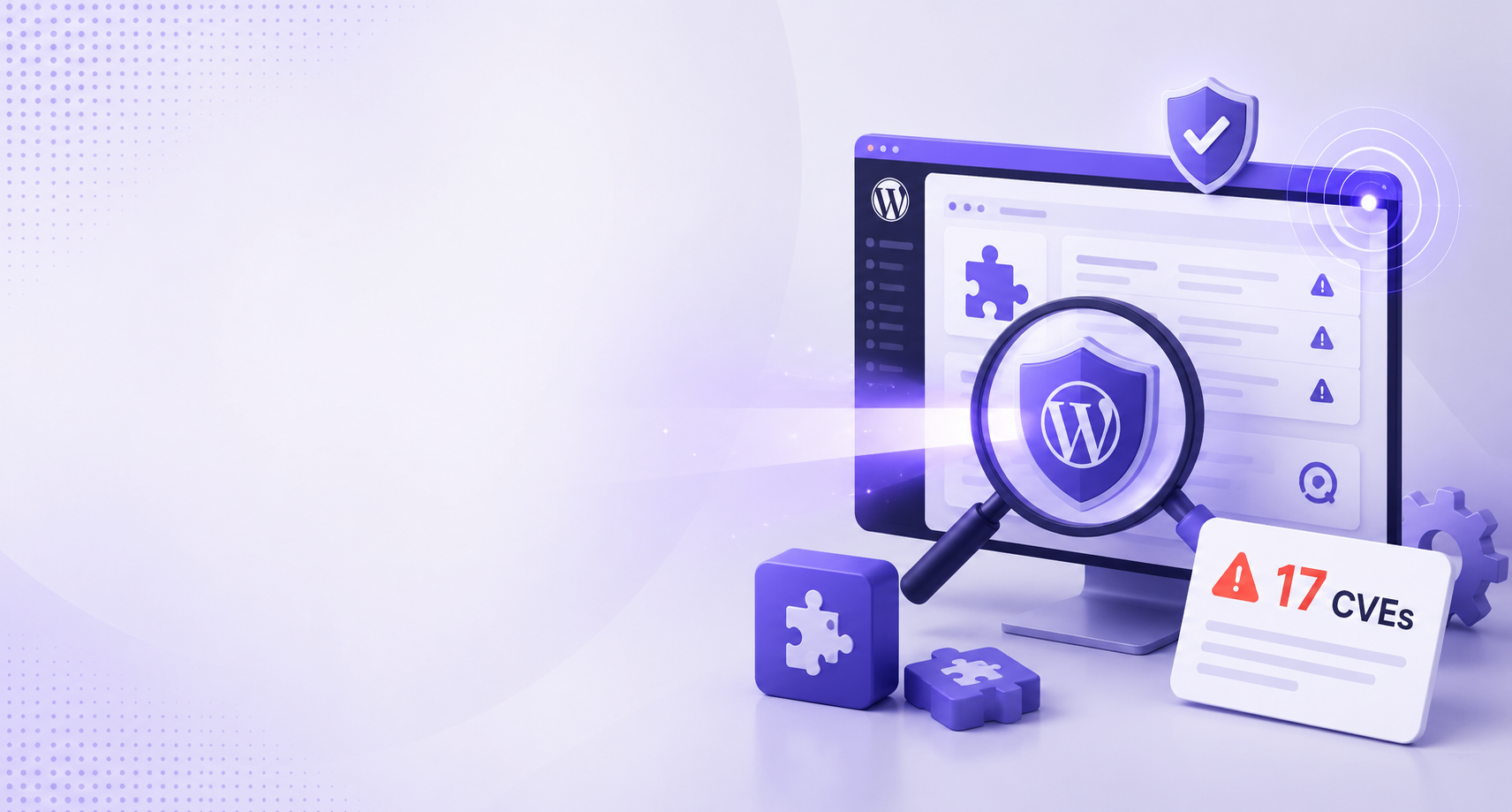
Your WordPress plugin vulnerabilities are being scanned right now: the 17 CVEs to check today
📌 Key Points
The problem: A government alert names 17 CVEs, 13 of them WordPress plugins, being actively scanned and exploited worldwide to plant webshells on small business sites.
The fix: Cross-check your plugin list against the 17, update everything, delete unused plugins rather than deactivating them, and check /wp-content/uploads/ for PHP files.
Who it’s for: Anyone running a WordPress site who has not reviewed their plugins this month.
If you run a WordPress site and you have not looked at your plugin list this month, stop and look now. On 9 July 2026 the Australian Signals Directorate’s Australian Cyber Security Centre published a Critical alert about a global campaign that scans websites at scale, finds known WordPress plugin vulnerabilities, and plants a webshell on the server. The alert is here: Large-scale exploitation campaign targeting website content management systems (CMS).
It is an Australian alert, but the campaign is not an Australian problem. The scanning is opportunistic and global. Nobody picked your site. A bot found a version number it recognised.
Table of Contents
What did the ACSC actually warn about?
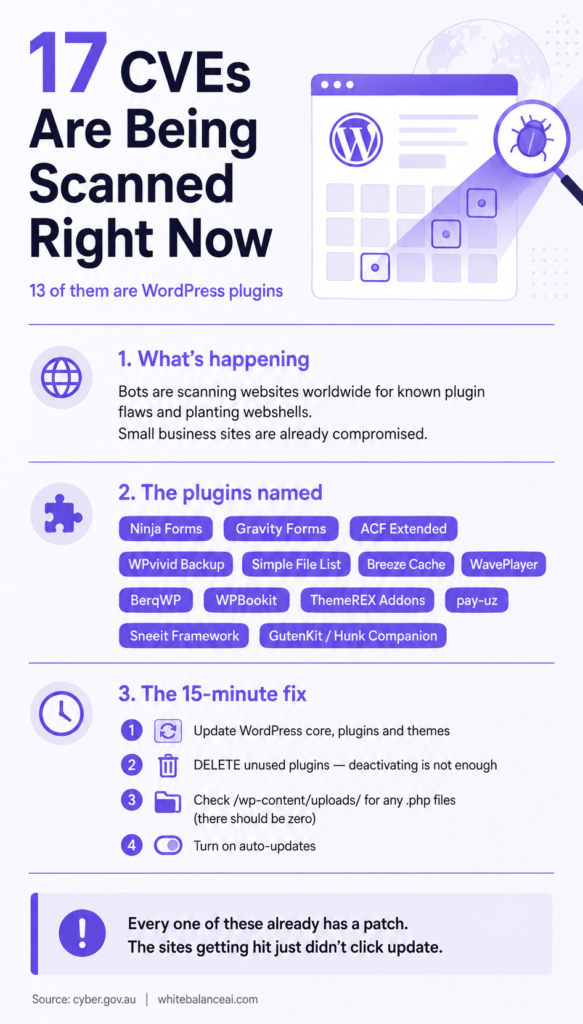
The alert describes attackers scanning internet-facing websites for CMS software and plugin versions carrying any of 17 specific CVEs. Where they find one, they exploit it and write a webshell into the web or plugin directory. Many small and medium sized Australian businesses have already been hit.
The flaws being used fall into four buckets: unauthenticated file upload, remote code execution, server side request forgery, and deserialisation. In plain terms, all four end at the same place. Someone who is not logged in gets to run their own code on your server.
Every one of the 17 CVEs is public and already patched by the plugin author, with one exception the ACSC flags separately. So this is not a story about clever attackers. It is a story about sites that did not click update.
Which WordPress plugin vulnerabilities are on the list?
Thirteen of the 17 are WordPress plugins. Check your Installed Plugins page against this list:
- Simple File List (CVE-2025-34085, CVE-2020-36847)
- WavePlayer (CVE-2025-12057)
- BerqWP (CVE-2025-7443)
- WPBookit (CVE-2025-7852)
- Ninja Forms (CVE-2026-0740)
- ThemeREX Addons (CVE-2026-1969)
- Breeze Cache (CVE-2026-3844)
- pay-uz (CVE-2026-31843)
- ACF Extended (CVE-2025-13486)
- Sneeit Framework (CVE-2025-6389)
- WPvivid Backup (CVE-2026-1357)
- Gravity Forms (CVE-2025-12352)
- GutenKit / Hunk Companion (likely CVE-2024-9234)
The remaining four are other platforms: Craft CMS (CVE-2025-32432), MaxSite CMS (CVE-2026-3395), MetInfo CMS (CVE-2026-29014), and Joomla JCE (CVE-2026-48907).
Look hard at that list for a second. Ninja Forms and Gravity Forms are on huge numbers of small business sites. WPvivid is a backup plugin, which means it sits on sites run by people who were being careful. ACF Extended shows up on anything a developer touched. These are not fringe plugins. Ordinary WordPress plugin vulnerabilities in ordinary plugins are what is being used here.
GutenKit and Hunk Companion deserve their own note. The ACSC could not tie that case to a confirmed patched CVE and assesses it as likely CVE-2024-9234. Both plugins get installed as part of Gutenberg and Elementor addon bundles, often by someone who was trying one widget and forgot about it. If either is on your site, treat it as urgent rather than routine.
What is a webshell and why should a small site owner care?
A webshell is a small file, usually PHP, dropped somewhere in your web directory. It accepts commands over the web. Once it is there, the attacker no longer needs the original hole. They have a door.
The ACSC lists what gets done with that door: defacing or disrupting the site, capturing credentials your visitors type in, uploading further malware to scam the people who trust you, stealing data, setting up persistence so cleanup fails, and using the server as a foothold into anything else it can reach.
That third one is the part solo operators underrate. Your site does not have to hold anything valuable for it to be worth taking. Its value is that it is trusted by your readers and by Google. WordPress plugin vulnerabilities on a small blog are worth exploiting precisely because a small blog does not have a security team watching.
Why do WordPress plugin vulnerabilities keep being the way in?
WordPress core is maintained by a large, funded, attentive group. Most plugins are not. A plugin might be one person, and that person might have moved on. But the plugin is still installed on tens of thousands of sites, still running its code on every request, and still trusted with file system access.
Then there is the second problem, which is that a plugin’s attack surface has nothing to do with how much you use it. A form plugin you installed for a contact page you deleted is still loaded, still routing requests, still exploitable. WordPress plugin vulnerabilities do not care whether the feature is on your menu.
And the timeline has compressed. The heads of the Five Eyes cyber security agencies recently noted that AI is speeding up how quickly a published vulnerability turns into a working, scaled exploit. The window between a patch being released and the scanning starting is now short enough that “I update every few months” is not a plan.
How do I check my site right now?
Do these in order. Most of it is fifteen minutes.
1. Cross-check your plugin list. Go to Plugins, Installed Plugins. Compare against the 13 above. Include the deactivated ones.
2. Update everything. Core, plugins, themes. If a plugin on that list is at an older version, update before you do anything else.
3. Delete what you do not use. Not deactivate. Delete. Deactivated plugins still have their files on your server, and unauthenticated file upload flaws often work on a deactivated plugin because the vulnerable endpoint is reachable directly by URL. This is the single most common gap I find on client sites.
4. Look in your uploads folder for PHP. Open your host’s file manager and go to /wp-content/uploads/. There should be zero .php files in there, ever. Sort by date modified and look at the top. Anything recent that you did not create is a problem. Do the same in your plugin directories and your theme folder.
5. Read your access logs. Look for GET or POST requests to script paths that should not exist, especially repeated hits to the same odd filename from the same address.
6. Turn on auto-updates for the plugins where a broken update would be easy to roll back.
What do I do if I find something?
Assume the whole server is compromised, not just the file you found. That is the ACSC’s position and it is the right one, because a webshell is rarely alone. Attackers add persistence so that deleting the obvious file gets you nothing.
Isolate the site. Audit your authentication and network logs for anything that moved sideways. Restore from a known-good backup taken before the intrusion, which means you need to work out when the intrusion was, not just restore last night. Patch everything before you put it back online, or you get reinfected by the same scanner within days.
If you cannot establish when it started, restoring from backup is guesswork. Get help rather than guessing. The original alert is worth reading in full before you touch anything: cyber.gov.au — Large-scale exploitation campaign targeting website content management systems.
What does any of this have to do with search visibility?
More than people expect, which is why I am writing about WordPress plugin vulnerabilities on a site about SEO and AEO.
A compromised site gets flagged. Google marks it, browsers put a warning in front of it, and the rankings you spent a year building go away in a day. Getting reinstated after a hack is slow and it is not automatic.
The AI answer layer is worse, because it is quieter. ChatGPT, Perplexity, and Google’s AI Overviews decide which sources are worth citing. A domain with a malware history is not a source they want to be seen recommending. You will not get a notification about that. You will just stop being cited and never know why.
Security is not a separate department from visibility. It is the same job. An unpatched plugin is a ranking risk that happens to also be a security risk.
What should I do this week?
Open your plugin list. Delete every plugin you are not actively using. Update the rest. Check /wp-content/uploads/ for PHP files. Turn on auto-updates. Read the original alert so you have the CVE list to hand.
Then put a recurring task in your calendar, monthly, called “check plugins”. Most of the sites in this campaign were not hit because their owners made a bad decision. They were hit because nobody made a decision at all for eight months.
Also check this blog post Is Your Vibe-Coded Website Safe?
Frequently Asked Questions
Q1. How do I know if my WordPress site has already been hacked?
Look for PHP files in /wp-content/uploads/, files modified on dates you were not working, admin users you did not create, and unexpected redirects for logged-out visitors. Check Google Search Console for a Security Issues notice. Many webshells leave no visible sign on the front end, so a clean-looking site proves nothing.
Q2. Are Ninja Forms and Gravity Forms safe to use?
Yes, on their current versions. Both were patched. Being on the list means a specific older version has a known flaw, not that the plugin is bad. Update to the latest release and you are fine.
Q3. Does deactivating a plugin protect me from WordPress plugin vulnerabilities?
Usually not. The files stay on your server and the vulnerable endpoint can often be reached directly by URL whether or not WordPress has the plugin switched on. Delete anything you are not using.
Q4. Does a security plugin like Wordfence make me safe?
It helps and you should have one, but it is not a substitute for patching. A scanner catches known signatures. It cannot fix an unpatched plugin, and a webshell that persists through a plugin’s own directory can survive a scan. Patching is the fix.
Q5. My site is small and has no customer data. Is this still a risk?
Yes. The scanning is automated and does not evaluate whether your site is interesting. Your value to an attacker is your server and your reputation with visitors, both of which a five-page site has as much of as a large one.
Want this handled for you?
I look after WordPress sites end to end: patching, plugin cleanup, security headers, and the SEO and AEO work that all of it protects. If you would rather not spend your week reading CVE numbers, send me a message.
⭐ Found this helpful? Add WhiteBalanceAI as your Google Preferred Source so my posts show higher in your results.
🚀 Starting your first website?
The platform you begin on shapes your speed, security, and how little you have to fight with later. The one I use and recommend is Hostinger — simple enough for a non-technical owner, runs WordPress cleanly, and handles the hosting essentials so you don’t manage servers.
Start with Hostinger →Disclosure: this is an affiliate link. If you sign up through it, I may earn a small commission at no extra cost to you. I only recommend tools I actually use and trust.
🌿 Want to see AEO in action?
Caloriematterss is a real-world niche food blog built with AEO (Answer Engine Optimization) and GEO (Generative Engine Optimization) principles from the ground up. Explore how structured recipes, FAQ schema, internal linking, and AI-friendly content work together in a live website.
Visit Caloriematterss →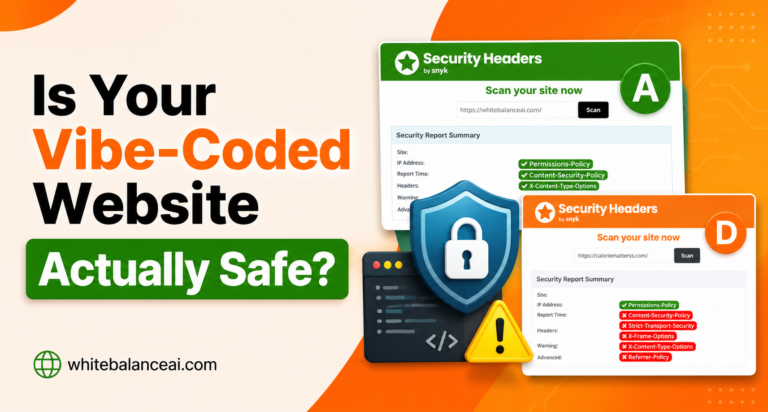
One Comment
Comments are closed.