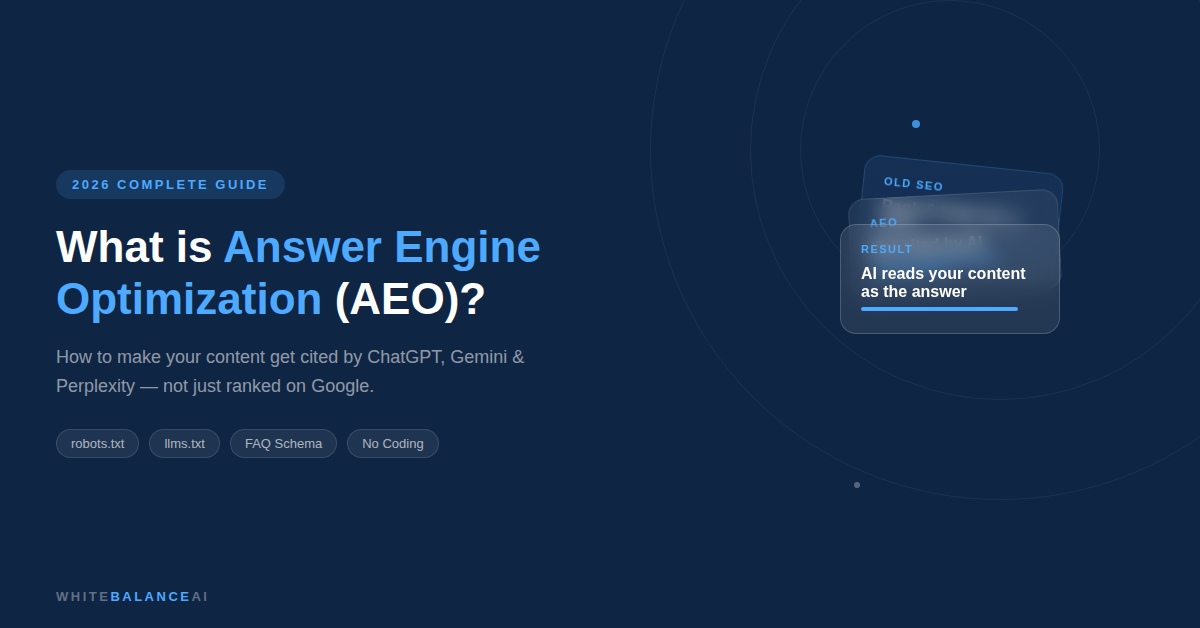
What is AEO and How to Do Answer Engine Optimization (2026 Guide)
📌 Key Points
- Answer Engine Optimization (AEO) helps your content become the answer AI tools like ChatGPT, Gemini, and Perplexity cite—not just another search result.
- Lead every section with a direct answer before adding explanations or examples.
- Use question-based headings, concise paragraphs, and FAQ sections to improve AI readability.
- Implement structured data such as FAQ schema so search engines understand your content better.
- Ensure essential technical files like
robots.txt,llms.txt, andllms-full.txtare correctly configured. - Keep your articles updated regularly—AI engines prefer fresh, trustworthy content.
- AEO works alongside traditional SEO, helping websites earn visibility in AI Overviews, voice search, and generative search experiences.
What is Answer Engine Optimization ?
Answer engine optimization — AEO — is the practice of writing and setting up your website so that AI tools like ChatGPT, Google Gemini, and Perplexity pull your content when someone asks a question.
Traditional SEO gets your page ranked in a list of results. Answer engine optimization or AEO gets your page read out as the actual answer — without the user needing to click anything.
For Example , When someone asks ChatGPT “what’s the best WhatsApp chatbot tool for small businesses,” the AI doesn’t show ten links. It reads several sources, picks the clearest and most structured answer, and presents it as its own response. Answer engine optimization is how you become the source it picks.
This matters more every month. Zero-click searches — where someone gets their answer without visiting any website — now make up the majority of mobile searches. Voice assistants don’t read a list of results. Google’s AI Mode generates a synthesised answer before the user even sees the blue links. If your content isn’t set up for answer engine optimization, it simply doesn’t show up in any of this.
Table of Contents
Why Small Businesses and Freelancers Can Actually Win at This ?
Large brands have domain authority built over decades. Thousands of backlinks. Wikipedia pages. When AI engines look for trustworthy sources, those brands have a head start on traditional signals.
But answer engine optimization introduces something different: it rewards clarity and structure, not just authority. A well-organized page from a solo freelancer or small service business can out-cite a corporate blog post if it answers the question more directly and is structured better.
The catch is that most small business websites aren’t structured this way yet. Most content is written like a story — introduction, context, eventual answer buried in paragraph four. That’s the opposite of what AI engines want. And that gap is your opportunity.
How Answer Engines Actually Work (In Plain English) ?
When someone asks an AI a question, here’s what happens in the background — without any technical jargon :
The AI breaks the question into smaller pieces and searches for each piece separately. Then it pulls content from multiple websites, checks how clearly and directly each one answers the question, and combines everything into one response. It also checks how recently the page was updated and whether it looks like a trustworthy source.
Your job with answer engine optimization is to make your content easy to find, easy to read, and easy to extract at every stage of that process.
How to Do Answer Engine Optimization : The Practical Steps ?
Step 1 — Answer the question in the first two sentences of every section
This is the most important habit in answer engine optimization. Every time you start a new section or heading in a blog post, your very first sentence should answer the question that heading asks.
Don’t warm up. Don’t provide background first. Don’t say “great question.” Just answer.
If your heading is “What is answer engine optimization?” the next sentence should define it clearly. AI engines scan the first two sentences of each section to decide if it’s relevant. If you’re warming up instead of answering, the ” AI ” skips your content and cites someone else.
Step 2 — Rewrite your headings as actual questions
Look at your existing blog posts. How many headings say things like “Our Approach” or “Key Benefits” or “Final Thoughts”? Those headings mean nothing to an AI engine trying to match a user’s question.
Rewrite them. “What is answer engine optimization?” “Does AEO work for small businesses?” “How long does answer engine optimization take?” These question-based headings are what answer engine optimization runs on — they match exactly how people type into ChatGPT or talk to Siri.
Step 3 — Add a FAQ section to every blog post
A dedicated FAQ section at the bottom of every post is one of the highest-leverage moves in answer engine optimization. Five focused question-and-answer pairs give AI engines multiple opportunities to cite your content across completely different queries.
Write the questions the way your readers actually ask them — conversational, specific, and real. Not “What are the advantages of answer engine optimization?” — try “Does AEO actually work for someone without a big website?” or “Do I need to hire someone to do answer engine optimization?”
Step 4 — Turn on FAQ Schema (Takes 2 Minutes)
This is the technical part — and it requires zero coding.
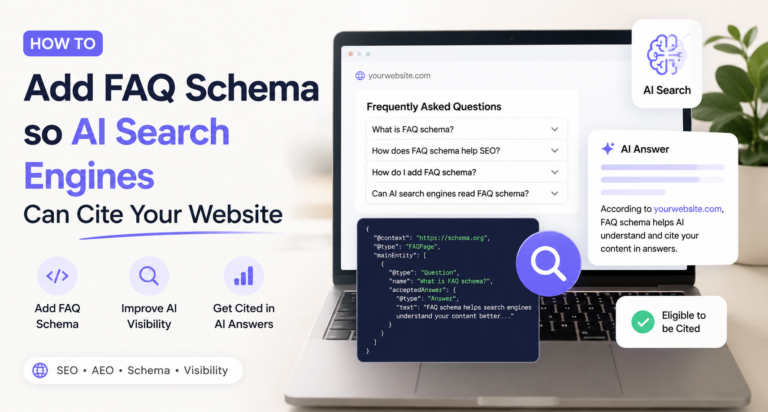
Schema markup is invisible code that tells Google and AI systems exactly what type of content is on your page. FAQ schema specifically tells them: this page contains questions and answers.
Here’s how to add it on WordPress with Yoast:
In your WordPress post editor, scroll down to where you write your content. Add a new block. In the block search, type “FAQ” and select the Yoast FAQ block. Type your questions and answers directly into that block. Save and publish.
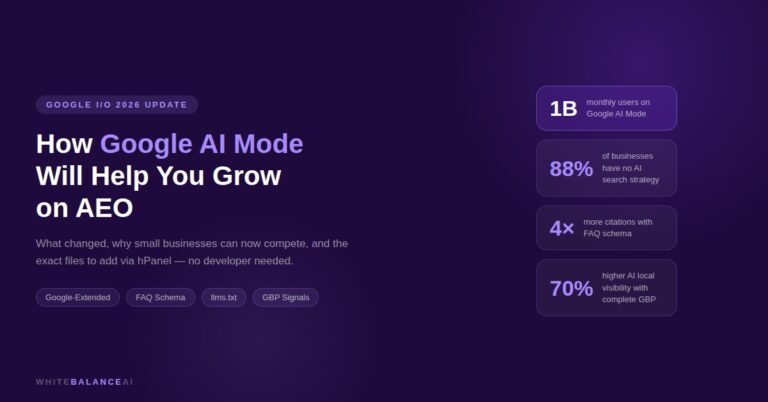
That’s it. Yoast handles everything behind the scenes. You don’t touch any code. Pages with FAQ schema are four times more likely to be cited in Google’s AI Overviews — that single step is one of the highest-return actions in answer engine optimization.
Here’s how to add it on WordPress with RankMath:
In your WordPress post editor, scroll down past your content to the RankMath panel on the right side. Click on Schema — it looks like a small graph icon. Click Add Schema, then select FAQPage from the list.
A form will appear with fields for Question and Answer. Type your first question into the Question field and your answer into the Answer field. Click Add New to add the next one. Repeat until you have all five questions filled in. Click Save and publish your post.
That’s it. RankMath injects the FAQ schema code automatically — you never see it, you never touch it. Pages with FAQ schema are four times more likely to be cited in Google’s AI Overviews — that single step is one of the highest-return actions in answer engine optimization.
Step 5 — The Three Files Your Website Needs for AEO (And How to Add Them)
This is the section most AEO guides skip entirely. And it’s one of the most important.
AI tools don’t just crawl your blog posts. Before they read a single word of your content, they look for specific files on your website that tell them whether they’re allowed to read it and what your site is about. If these files are missing or wrong, even perfectly written content won’t get cited.
There are three files every website needs for answer engine optimization in 2026.
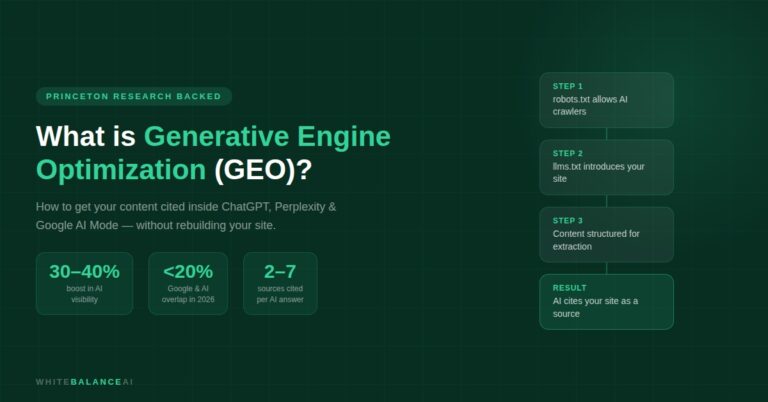
File 1: robots.txt — The Permission File
robots.txt is a file that lives at the root of your website — at yoursite.com/robots.txt. It’s a simple text file that tells all web crawlers — Google, AI tools, and anyone else — which pages they’re allowed to read.
The problem: many WordPress sites have robots.txt settings that accidentally block AI crawlers. If GPTBot (ChatGPT’s crawler) or ClaudeBot (Claude’s crawler) is blocked here, those AI tools will never read your content. No matter how good your answer engine optimization work is, you won’t get cited.
Here is what your robots.txt file should contain for full AEO access. You can check your current robots.txt by typing yoursite.com/robots.txt into your browser. To update it, go to your Hostinger hPanel → File Manager → public_html → find the robots.txt file and open it.
Your robots.txt should include:
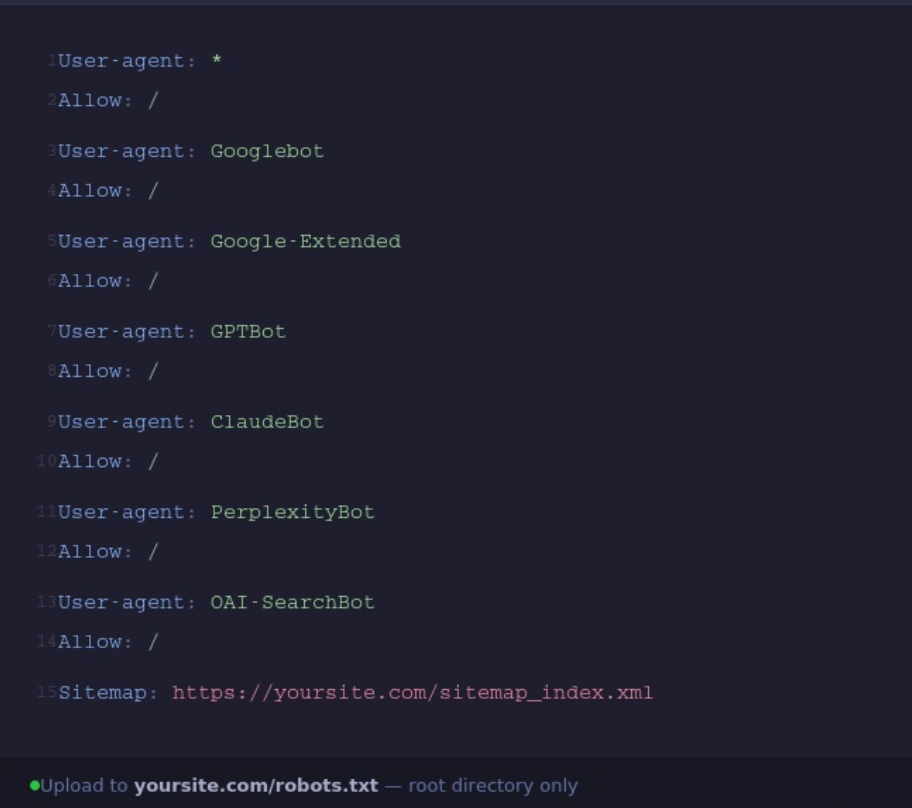
Replace yoursite.com with your actual domain. This file gives every major AI crawler explicit permission to read your content.
File 2: llms.txt — The Introduction File for AI
llms.txt is a newer file — most websites don’t have it yet. It lives at yoursite.com/llms.txt and is specifically written for AI tools, not Google. Think of it as a cover letter your website sends to every AI crawler that visits.
It tells the AI: here’s what this site is about, here are the most important pages, here’s who runs it, and here’s why you should trust it as a source.
For WhiteBalanceAI, your llms.txt should look something like this:
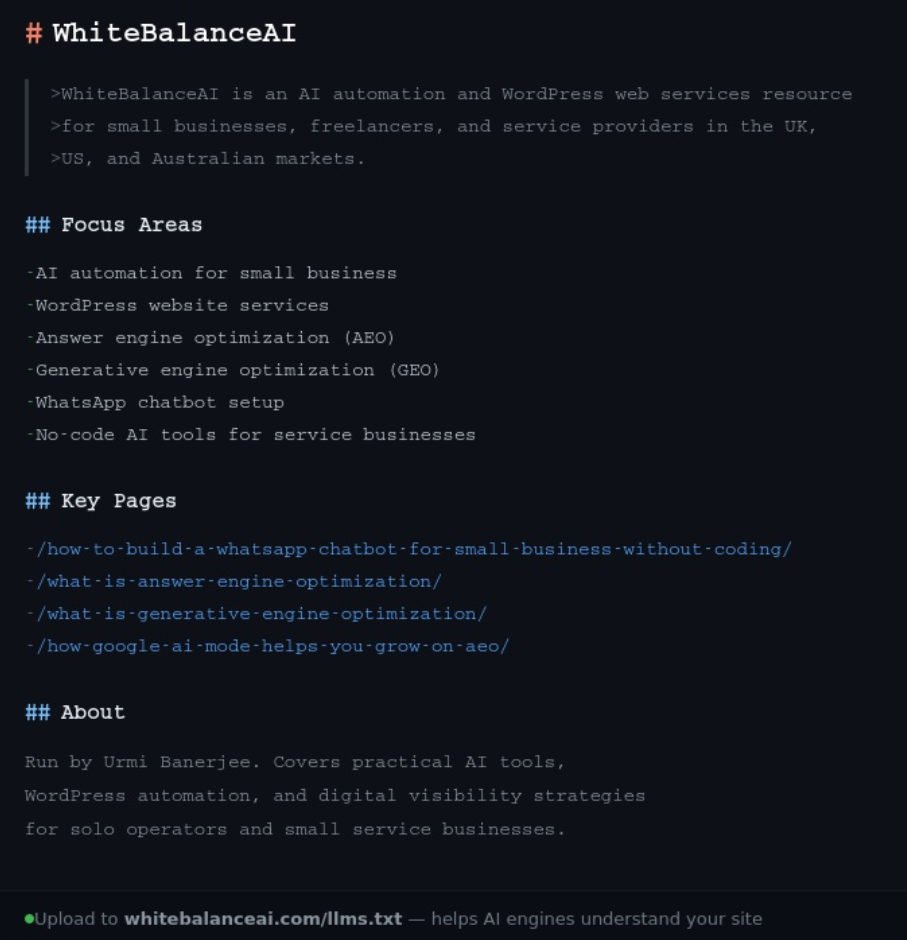
To add this file: go to hPanel → File Manager → public_html → right-click → Create File → name it llms.txt → paste your content → save.
File 3: llms-full.txt — The Extended AI Reference File
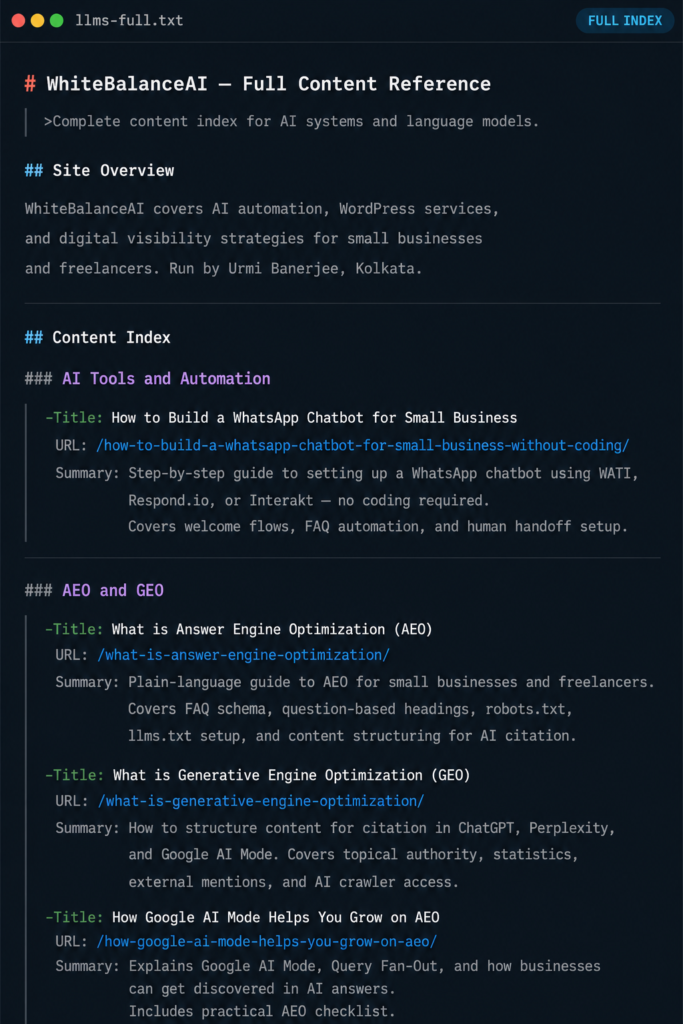
llms-full.txt is a longer version of the same file. Where llms.txt gives AI crawlers a quick overview, llms-full.txt gives them a detailed picture of every important page on your site, including what each post covers and why it’s useful.
It goes in the same location — yoursite.com/llms-full.txt — and follows the same format but includes a summary of every key post:
Add this the same way as llms.txt — File Manager → public_html → Create File → llms-full.txt.
Step 6 — Keep Content Fresh
AI engines have a strong preference for recently updated content. Research shows that 83% of AI citations come from pages updated within the past 12 months, with over 60% updated in the last six months.
Go through your older posts. Update the data. Add a current FAQ section. Refresh any statistics or tool recommendations. Answer engine optimization isn’t a one-time task — it’s about keeping your content citation-ready over time.
How To Write Humanized Blog Content , Which Gadget Is Trending Right Now In 2026 ?
Read this Google Article about Optimizing Your website for Generative AI Features on google search
Frequently Asked Questions
What is Answer Engine Optimization (AEO)?
Answer Engine Optimization (AEO) is the process of creating content that AI assistants and search engines can easily understand, summarize, and cite as direct answers to users’ questions.
How is AEO different from traditional SEO?
Traditional SEO focuses on improving rankings in search engine results, while AEO focuses on helping your content become the answer shown in AI Overviews, ChatGPT, Gemini, Perplexity, voice search, and other AI-powered experiences.
Is Answer Engine Optimization replacing SEO?
No. AEO works alongside SEO rather than replacing it. Websites that combine strong technical SEO, high-quality content, structured data, and direct answers have the best chance of appearing in both search results and AI-generated answers.
Does schema markup improve AEO?
Yes. Structured data such as FAQ, Article, Organization, and Breadcrumb schema helps search engines understand your content more clearly. While schema alone doesn’t guarantee AI visibility, it improves machine readability.
How can I optimize my website for AI search?
Start by answering real user questions clearly, organizing content with descriptive headings, using structured data, improving technical SEO, adding internal links, and keeping your content accurate and regularly updated. These practices help both search engines and AI assistants understand your website.
👋 About the Author
I’m Urmi Banerjee, founder of WhiteBalanceAI. I deploy high-performance websites and automated workflows using modern low-code infrastructure. If you’re looking to optimize your digital platform for the AI Search Era—including ChatGPT, Perplexity, Google AEO, and other AI-powered search experiences—or build automated revenue systems that streamline lead generation and customer acquisition, let’s connect at WhiteBalanceAI.com. I handle the technical architecture and system integration so you can focus on growing your business.
Visit WhiteBalanceAI →⭐ Found this helpful? Add WhiteBalanceAI as your Google Preferred Source so these WordPress guides show up more often for you. Set WhiteBalanceAI as a preferred source →
🚀 Starting your first website?
The platform you begin on shapes your speed, security, and how little you have to fight with later. The one I use and recommend is Hostinger — simple enough for a non-technical owner, runs WordPress cleanly, and handles the hosting essentials so you don’t manage servers.
Start with Hostinger →Disclosure: this is an affiliate link. If you sign up through it, I may earn a small commission at no extra cost to you. I only recommend tools I actually use and trust.
🌿 Want to see AEO in action?
Caloriematterss is a real-world niche food blog built with AEO (Answer Engine Optimization) and GEO (Generative Engine Optimization) principles from the ground up. Explore how structured recipes, FAQ schema, internal linking, and AI-friendly content work together in a live website.
Visit Caloriematterss →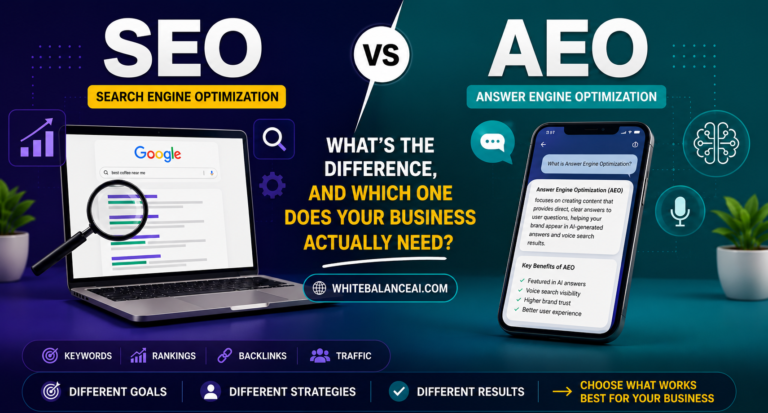


6 Comments