Chrome Web Store Backlink: Is the”DR99 Link from Google “Worth Building an Extension For?
📌 Key Takeaway
The problem: Reels promise a “DR99 backlink from Google” for publishing a Chrome extension, and skip the rules, the fee, the publishing limit and the nofollow question.
The fix: Build one genuinely useful, single-purpose tool, verify your domain in Search Console, and treat the Chrome Web Store backlink as a brand signal, not a ranking shortcut.
Who it’s for: Founders and small businesses with a real tool idea that sits next to what they already sell.
A reel has been doing the rounds: build a simple Chrome extension with an AI assistant, publish it, and you get a DR99 backlink from Google. Under one of those reels, the top comment is three words long. “It’s a nofollow.”
Both of them are oversimplifying. I went through Google’s own Chrome Web Store documentation and its Search Central policies to work out what a Chrome Web Store backlink actually is, what it costs, and whether it’s worth your time. The sources are listed at the bottom so you can check every claim yourself.
The short version: the link is real, the “DR99” framing is misleading, and the only version of this worth doing is the one where you build something people would install anyway.
Everything below describes how the store and Google’s policies work as of writing. Platforms change, so verify your own setup before you rely on any of it.
Table of Contents
What is a Chrome Web Store backlink, exactly?
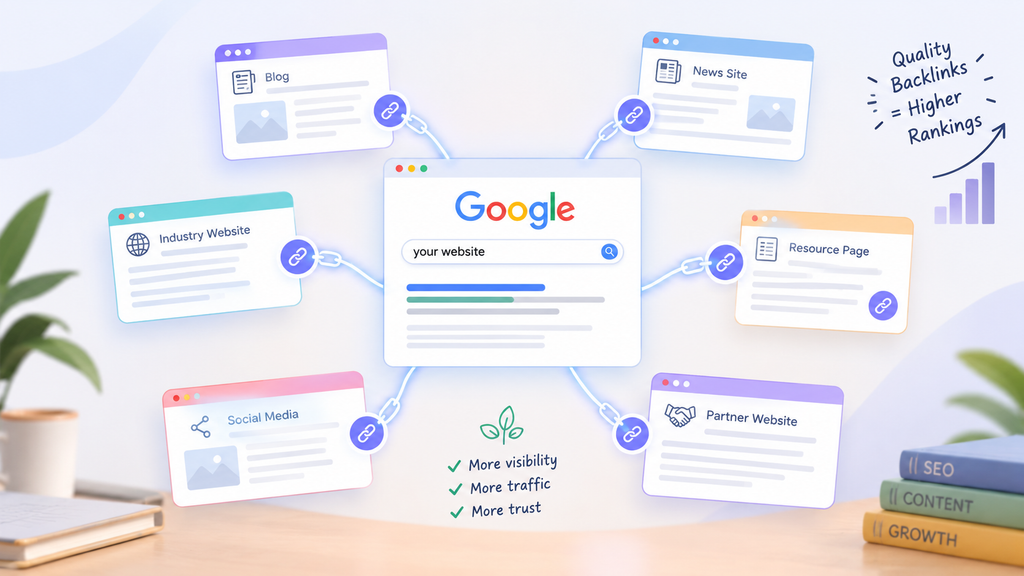
When you publish an extension publicly, it gets a listing page on chromewebstore.google.com. That page can carry links back to your site through a few fields you fill in from the developer dashboard.
The one people get excited about is the Official URL. Google’s documentation says verified publishers get a linked official URL placed under the listing title. The drop-down for that field only shows sites you’ve verified as yours, and adding a new one sends you to Google Search Console to verify ownership. If you’re not verified, your publisher name appears under “Offered by” in the Details section instead.
There’s also a Homepage URL, which shows in the Details section and should point to a page about your extension, plus an optional Support URL.
So what you’re really getting is up to three links from a listing page on a Google-owned domain, and the most visible one depends on Search Console verification. If your domain isn’t verified under the same Google account you publish with, the headline link the reels talk about won’t appear at all.
Is the Chrome Web Store backlink dofollow or nofollow?
This is where the comment sections fight, and the honest answer is that nobody outside Google can give you a guarantee. Some SEO writers who have inspected live listings report that the Official URL and Homepage URL links carry no rel=”nofollow”, “sponsored” or “ugc” attribute, so backlink tools count them as followed links.
The same writers are clear that this is observed behaviour, not something Google promises, and that Google controls the markup and can change it whenever it likes.What Google does document is how it treats those attributes in general. Its own guidance says links marked with nofollow, sponsored or ugc will generally not be followed.
My advice is boring but reliable. Before you trust a reel or a commenter, open any extension listing that shows a verified Official URL, right-click the link, choose Inspect, and read the link tag yourself. It takes thirty seconds and it shows today’s markup, not someone’s screenshot from last year.
And even if the attribute is missing, Google built the store. It knows that link was typed in by the extension’s own developer, not handed out by an independent editor. That matters for the next question.
Does a link from a “DR99” domain actually help your rankings?
DR, or Domain Rating, is an Ahrefs metric. Moz has Domain Authority, and Semrush has its own score. Third-party write-ups put the Chrome Web Store somewhere in the 90s, with recent analyses quoting 99 and older ones 92. None of those numbers comefrom Google.
Google says this plainly in its guidance on third-party SEO tools: those tools don’t have access to its internal ranking data, and they can’t guarantee performance.
So “DR99” describes how an SEO tool scores the store, not how much your site will move in Google. The listing gives you one referring domain among many. It’s a reasonable trust and brand signal, and your listing can show up when people search your brand name plus “extension”. Treat it as that and you won’t be disappointed. Treat it as a ranking shortcut and you will be.
What do Google’s own rules say about building links this way?
Two sets of rules apply here, and the reels mention neither.
The first is Google Search’s spam policy. It defines link spam as creating links mainly to manipulate search rankings, and one of its listed examples is creating low-value content mainly to manipulate linking and ranking signals. The same page says these policies apply to all web search results, including results from Google’s own properties. An empty extension built only to plant a link fits that description uncomfortably well.
The second is the Chrome Web Store’s own program policy. Its spam FAQ says an extension that sends users to your app is allowed only as a side feature. It cannot be the extension’s single purpose. The same FAQ bans repetitive content, meaning several extensions that give the same experience, and that ban covers affiliated developers too. So the “publish ten tiny extensions for ten links” plan is finished before it starts.
What does a Chrome Web Store backlink actually cost?
Less money than you’d think, and more effort than the reel suggests.
- Registration fee. Google requires a one-time registration fee before you can publish. It has been widely reported as $5 since it was introduced. Check the amount on the dashboard when you sign up.
- A verified domain. You need your site verified in Google Search Console if you want the Official URL under your title.
- Listing assets. Google’s listing guide asks for a 128×128 store icon, at least one 1280×800 screenshot (up to five), a 440×280 small promo tile and a few other items, plus a description that doesn’t repeat keywords unnaturally. The store’s spam FAQ suggests keeping any single keyword to under five mentions.
- Privacy practices. You fill in the privacy fields in the dashboard before you can publish.
- The publishing limit. Since 20 August 2026, publisher accounts start with a default of two extension slots. You can request more from the dashboard, and Google bases the decision on things like engagement with your existing extensions and how long your account has been active.
- Review time. Google says most reviews finish within a few days but can take up to a few weeks. New developers, new extensions, risky permission requestsand big code changes all get a closer look.
- That last point catches people out. A brand-new account submitting a brand-new extension ticks two of those boxes on day one, so plan for review taking a while.
Can one developer account cover two websites?
Yes, within limits. The registration fee is paid once per account, not per extension, and the default limit is two published extensions. So one account can hold one extension for each of two websites.
Each extension picks its own Official URL from the drop-down of sites verified as yours, so both domains need to be verified in Search Console under the Google account you publish from. A few things are shared across the account, though. Your publisher name shows under “Offered by” on your listings, and the contact email belongs to the account. If your two sites are separate brands, pick a publisher name that works for both.
The two extensions also have to do genuinely different things. Two versions of the same tool with different branding would count as repetitive content.
One more thing the “pay once and sell it” crowd gets wrong: you can’t charge for an extension through the Chrome Web Store any more. Google ended Chrome Web Store payments for new paid items in 2020, so if you want to charge, you’d need your own payment system.
What are the steps to publish an extension and get the link?
Here’s the order I’d follow, based on Google’s publishing docs. None of it is hard, but skipping a step is how you end up with a listing and no link.
- Verify your domain first. Add your site to Google Search Console under the same Google account you’ll publish from. If it’s already verified under a different account, add the publishing account as an owner. This is what makes your site show up in the Official URL drop-down later.
- Register as a Chrome Web Store developer. Open the developer dashboard, agree to the developer agreement and policies, and pay the one-time fee. Google suggests using an email you check often, since review and policy notices go there, and you can’t change the account email afterwards. India is on Google’s list of supported countries, so you can register from here.
- Set up the account. Add a publisher name, which appears under “Offered by”, and a contact email, which you’ll need to verify.
- Build and test the extension locally. Keep it to one clear job and only the permissions that job needs.
- Fill in the store listing. Description, category, language, icon, screenshots and promo tile, then the Official URL, Homepage URL and Support URL fields.
- Complete the privacy practices tab. Google asks for five things: a single purpose description, a reason for each permission, a declaration on whether you run remote code, a data usage disclosure, and a privacy policy link. Undeclared remote code gets the extension rejected.
- Set visibility to public and submit for review. The point here is a public listing people can find in the store, so don’t leave it private or limited to testers.
Once it’s approved, your listing goes live and the links in it start working.
Can an AI assistant build the extension for you?
Yes, it can write most of the code, and that part of the reel is fair. But “the AI wrote it” isn’t the same as “it works”.
When I asked an AI tool for extension code for my own project, the first draft looked finished. It still had five bugs, including requests pointing at the wrong address and an open endpoint that would have let anyone create user accounts on my site. None of that was visible until I read the code line by line.
So use the AI to write the first version, then test it yourself, request only the permissions it truly needs (broad permissions slow review down), and don’t paste server-side code into your site until someone who understands it has checked it.
Who should build an extension for a Chrome Web Store backlink?
Build one if:
- you have a small, real job a browser tool can do for your audience
- you’re willing to update it when Chrome or your site changes
- you can verify your domain in Search Console
Skip it if:
- the only feature you can think of is “open my website”
- you want ranking results by next month
- you’re planning several near-identical versions
What kind of extension would pass review and help your business?
The good ones sit right next to what you already sell. A recipe blog could ship a cups-to-grams converter that works on any recipe page. An accountant could ship a quick tax calculator in a popup. An SEO studio could ship a page checker.
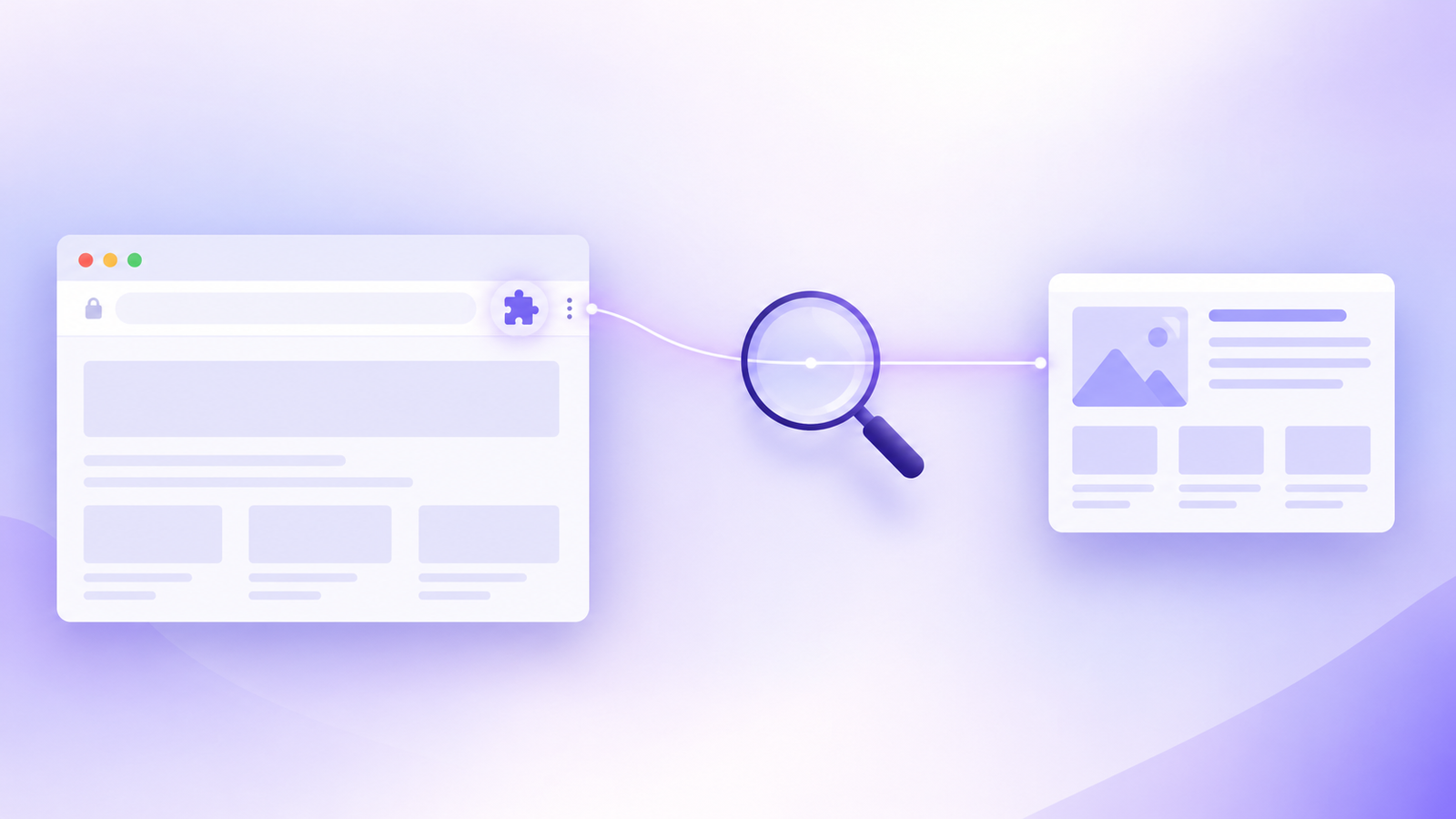
That last one is what I’m planning for WhiteBalanceAI: a small tool that looks at the page you’re on and shows whether search and answer engines can read it properly, things like structured data, FAQ markup and heading order. My clients would use it whether or not it came with a link, and that’s the test I’d apply to any idea. If you’d still build it with no link attached, it’s a good idea. If not, it’s a link scheme with extra steps.
How do you check your Chrome Web Store backlink is working?
Once your extension is live:
- Open your public listing and confirm your verified domain appears under the title and your Homepage URL shows in the Details section.
- Inspect each link in your browser’s developer tools and note whether any rel attribute is present.
- Watch the Links report in Google Search Console over the following weeks. How long it takes to show up varies.
- Link from your own product page back to the listing, so visitors who land on your site can install the tool in one click.
So should you build one?
If you have a tool idea your customers would install on its own merits, yes. A small one-time fee, a Search Console verification you probably already have, and a weekend of building and testing is a fair price for a listing on Google’s store and a link back to your site.
If the extension only exists to earn a Chrome Web Store backlink, skip it. Google’s search policies describe that exact move as link spam, and the store’s own rules say an extension can’t exist just to send people to your website.
Get 40 % discount on Lenovo Idea Pad Gen 2
👋 Hi, I’m Urmi
I’m the founder of WhiteBalanceAI, and I build websites and set up SEO, AEO and GEO for the AI search era — the structure that lets Google and answer engines like ChatGPT and Perplexity actually read and cite your site. I taught myself all of this by doing it, on my own projects first, so I know where it breaks and how to build it right.
If you’re weighing up a tactic like this and want a second pair of eyes on whether it fits your site, we can look at it together. No pressure, no jargon — just your site, and what it needs to get found. If you’re ready, I’m ready too.
Is a Chrome Web Store backlink dofollow?
Some SEO writers who have inspected live listings report no nofollow, sponsored or ugc attribute on the Official URL and Homepage URL links. Google doesn’t promise this and controls the markup, so inspect a live listing yourself before relying on it.
How much does it cost to publish a Chrome extension?
Google charges a one-time developer registration fee, widely reported as $5. It’s paid once per account, not per extension. Check the current amount on the developer dashboard when you sign up.
Will a link from the Chrome Web Store improve my Google rankings?
Not on its own. The “DR99” score comes from third-party SEO tools, and Google says those tools don’t have access to its ranking data. Treat the link as one referring domain and a brand trust signal, not a shortcut.
Can I publish an extension that just links to my website?
No. The Chrome Web Store spam policy allows sending users to your site only as a side feature, never as the extension’s single purpose. Google Search’s spam policy also treats low-value content built to earn links as link spam.
Can one developer account cover two websites?
Yes. Publisher accounts start with a default of two extension slots, so one account can hold one extension per site. Verify both domains in Search Console under the account you publish from, and make sure the two extensions do different things.
⭐ Found this helpful? Add WhiteBalanceAI as your Google Preferred Source so my posts show higher in your results.
🌿 Want to see AEO in action?
Caloriematterss is my own food blog, built to rank in AI search and traditional search at the same time. It’s a live case study of the SEO/AEO/GEO system I use.
Visit Caloriematterss →Sources
- Complete your listing information (Official URL, Homepage URL, Support URL, listing assets), Chrome for Developers
- Register your developer account (one-time fee, supported countries), Chrome for Developers
- Set up your developer account (publisher name, contact email), Chrome for Developers
- Fill out the privacy fields, Chrome for Developers
- Publish in the Chrome Web Store (item limits), Chrome for Developers
- Chrome Web Store updates: new publication limits, Chrome for Developers blog
- Chrome Web Store review process, Chrome for Developers
- Spam policy FAQ (repetitive content, keyword spam, extensions that direct users to your app), Chrome for Developers
- Chrome Web Store payments deprecation, Chrome for Developers
- Spam policies for Google web search (link spam), Google Search Central
- Qualify your outbound links to Google (rel attributes), Google Search Central
- Guidance on third-party SEO tools and advice, Google Search Central
- Chrome Web Store requiring up-front $5 registration fee, 9to5Google
- How to Build a Chrome Extension and Get a High-DA Google Backlink, SaaSCity (community link inspection and third-party DR figures)